Budget like a boss.
Save like a winner.
Track spending, plan budgets, and see your money in one place. Open MoneyRoo on the web, or take it with you on iPhone, iPad, and Android.


Desktop, phone, tablet, or foldable. Pick your screen.
Six features. Zero fluff.
Built for people who want to take control — not read a finance textbook. Every screen does one job, and does it beautifully.
Your money, one glance
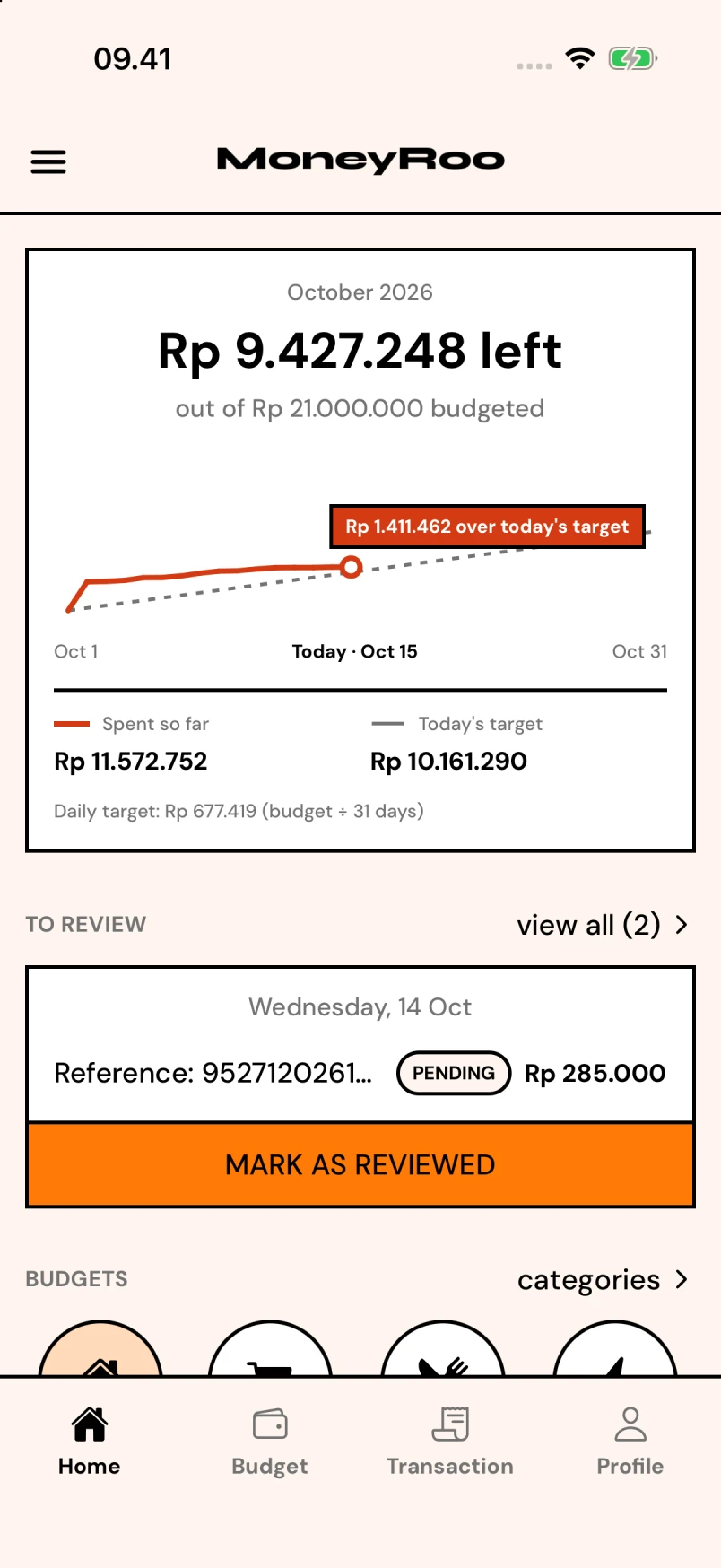
Smart Dashboard
See all your accounts — cards, cash, investments — in one place. Track net worth, expenses, and income trends with beautiful charts.
- Clean black-border UI — easy to read
- Works offline, syncs when online
- Export anytime — your data, your rules
Plan every rupiah
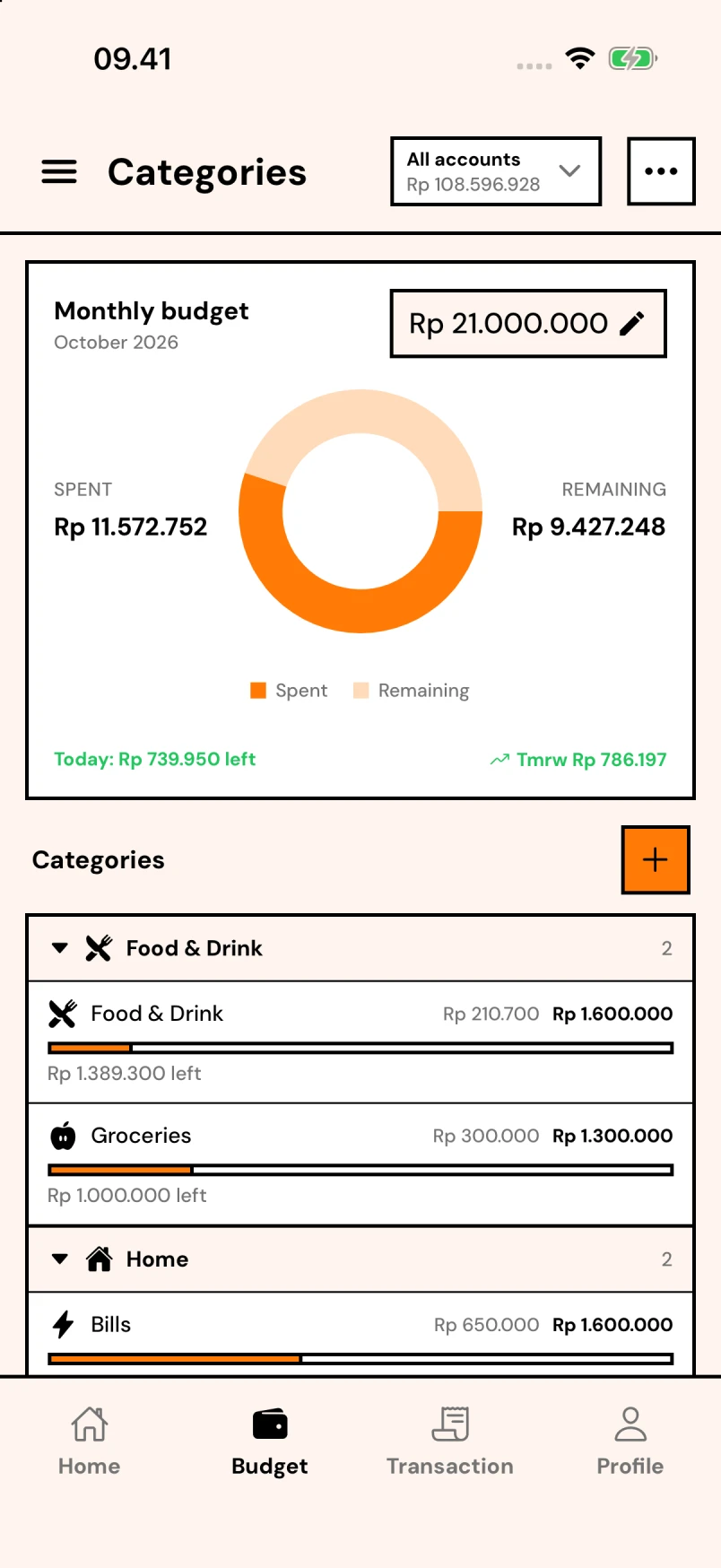
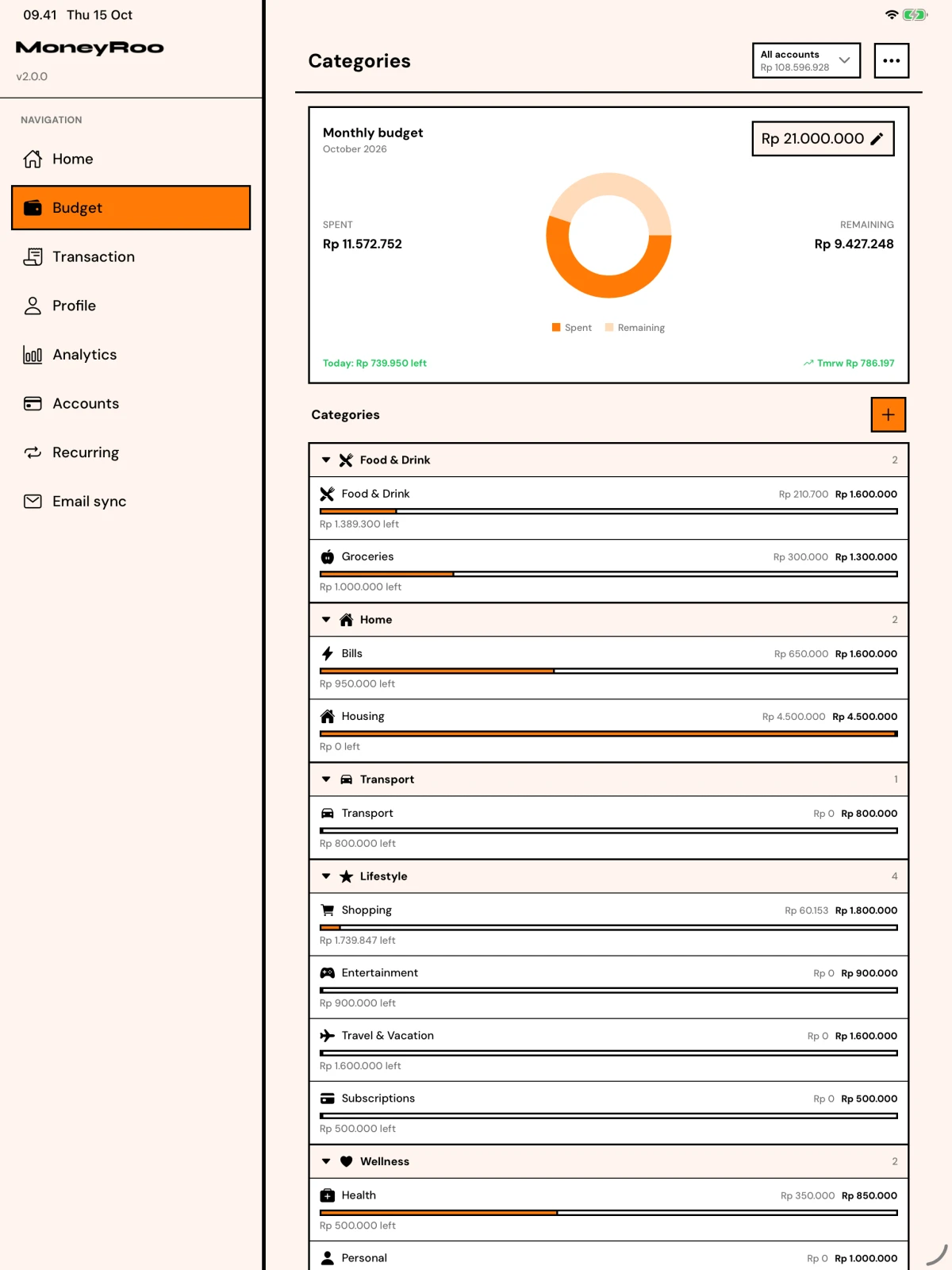
Category Budgets
Set monthly budgets for what matters — groceries, utilities, shopping. Watch spending vs. limits with a live donut chart and daily pace indicator.
- Clean black-border UI — easy to read
- Works offline, syncs when online
- Export anytime — your data, your rules
Log it in seconds
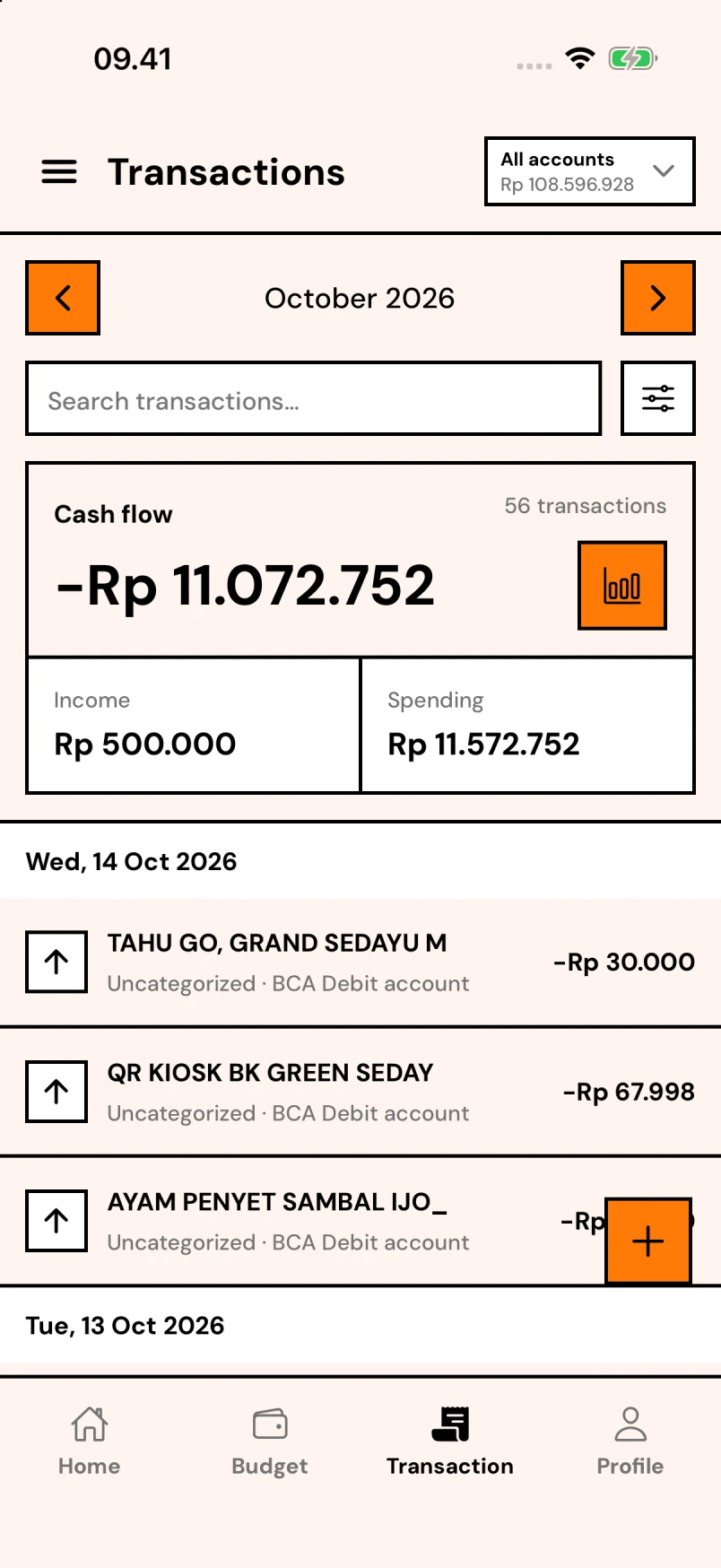
Fast Transactions
Tap to add expenses and income. Group by day, filter by account, and see running totals for the month. Income vs. expense always in focus.
- Clean black-border UI — easy to read
- Works offline, syncs when online
- Export anytime — your data, your rules
Keep the full picture
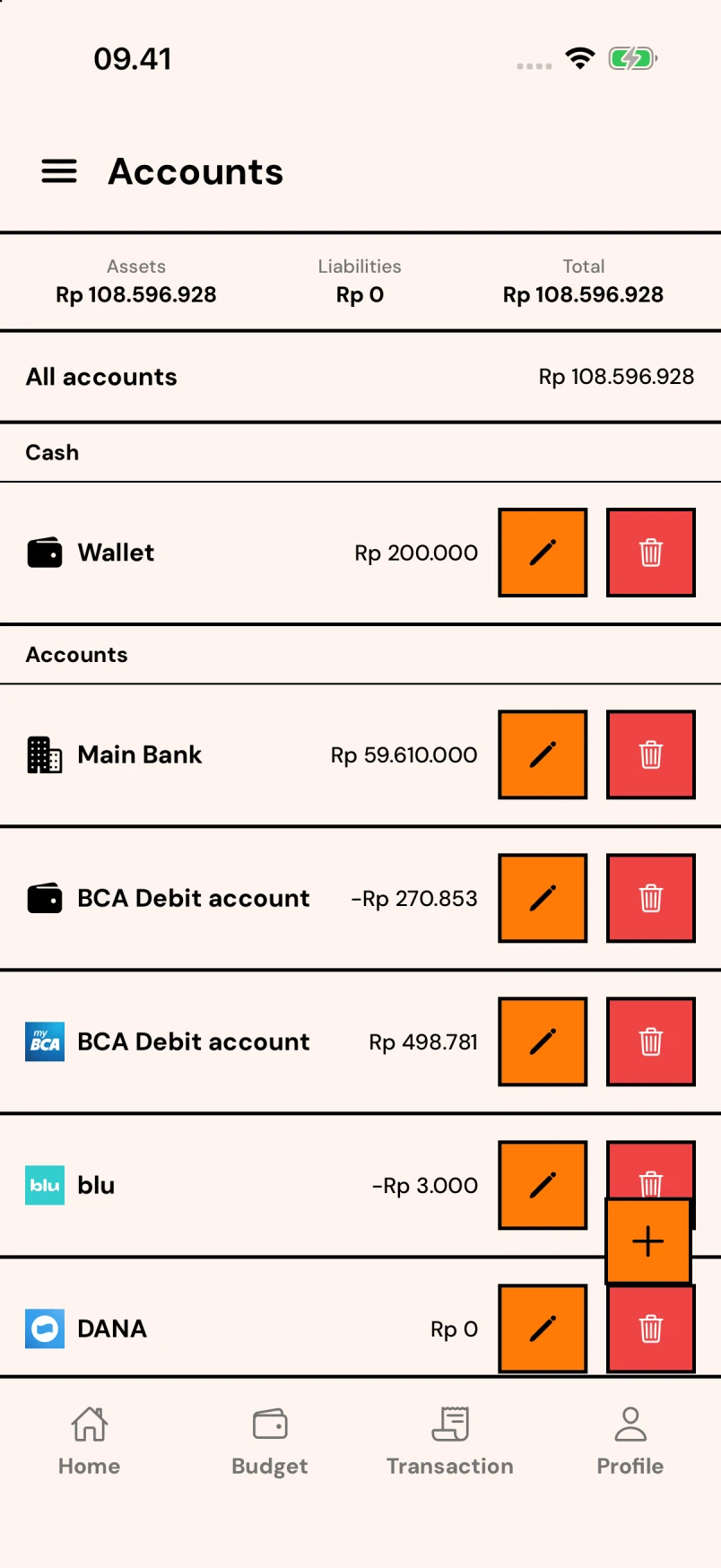
All Your Accounts
Keep bank accounts, cards, cash, and investments together. Check balances at a glance and choose the right account when you log a transaction.
- Clean black-border UI — easy to read
- Works offline, syncs when online
- Export anytime — your data, your rules
See where it all goes
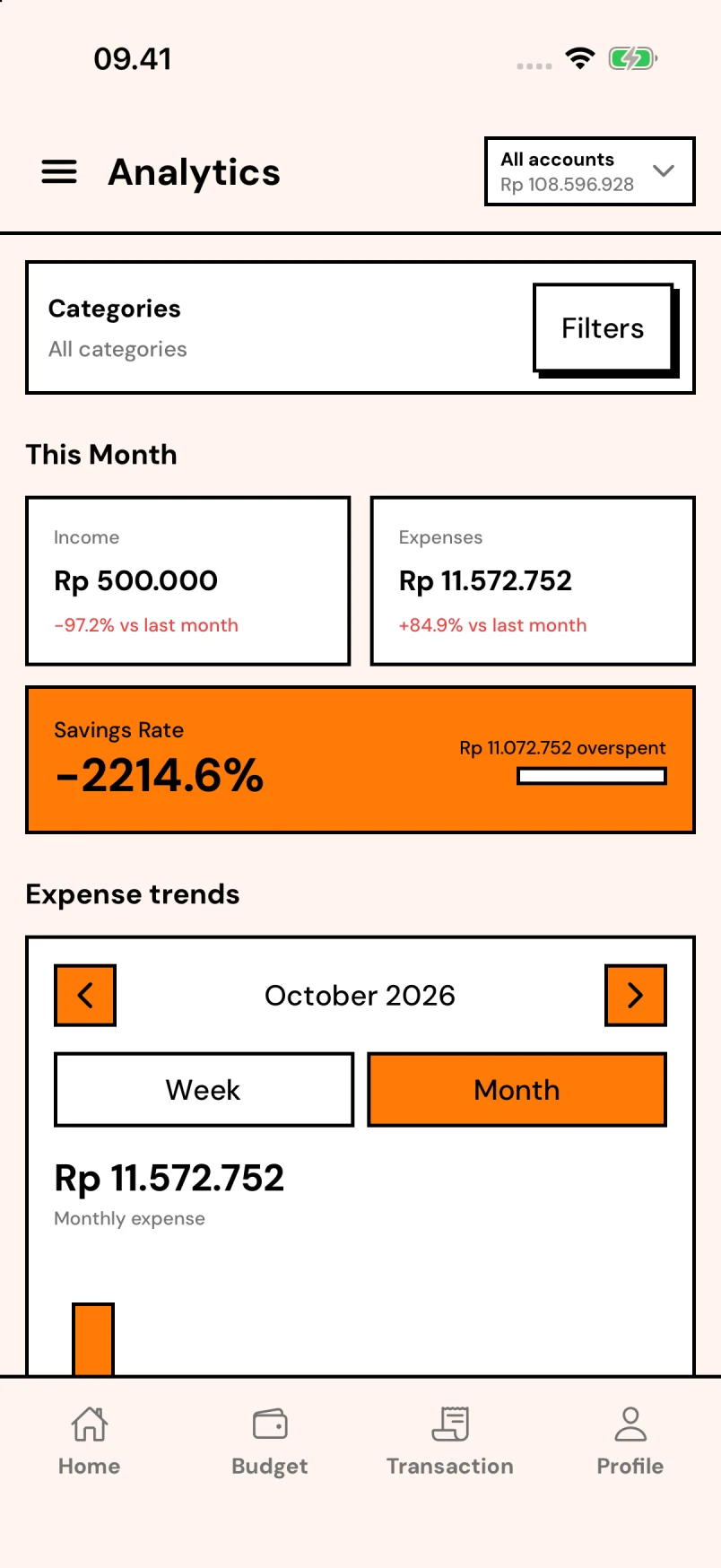
Deep Analytics
Monthly income, expenses, savings rate, and month-over-month change. Plus smart insights like 'Spending up 67% vs last month.'
- Clean black-border UI — easy to read
- Works offline, syncs when online
- Export anytime — your data, your rules
Never miss a bill
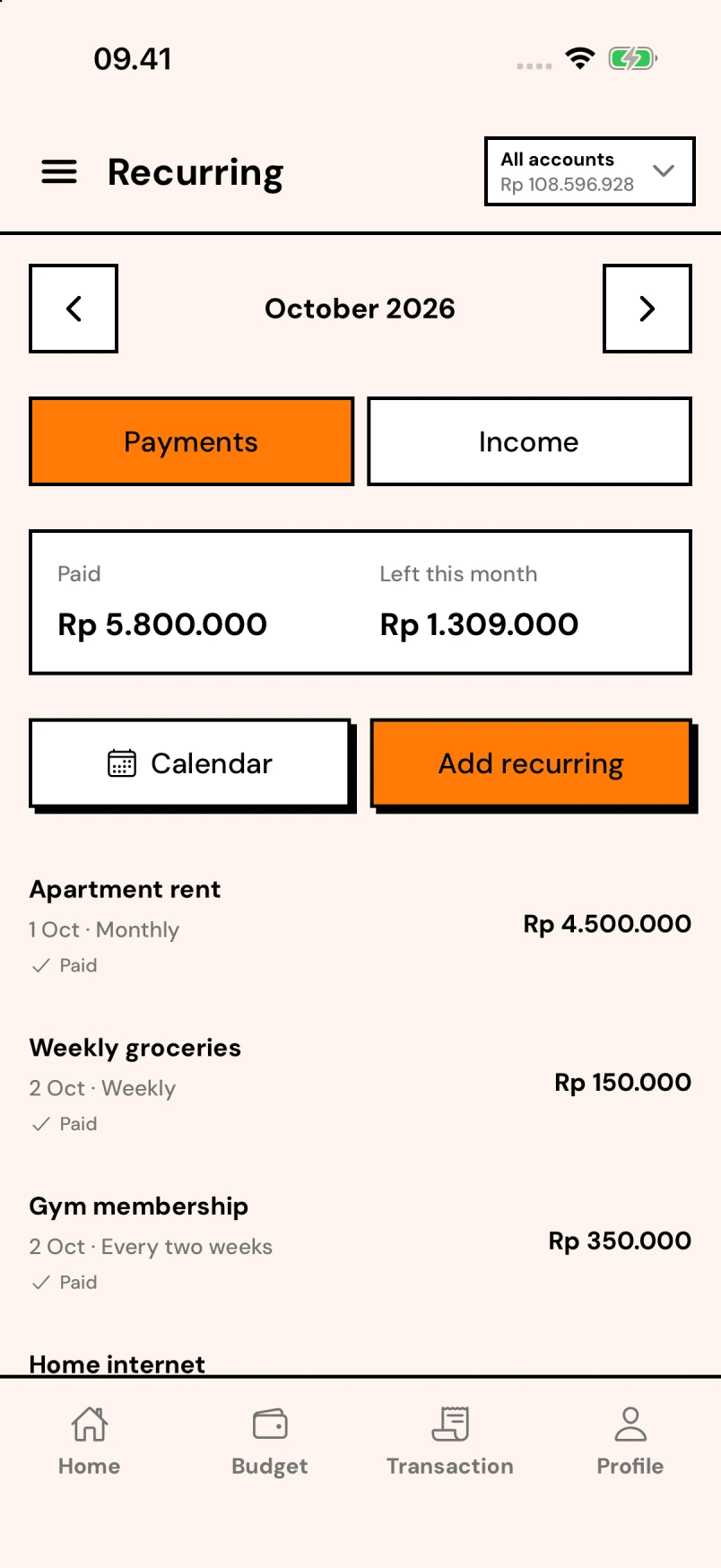
Recurring Payments
Salary, subscriptions, memberships — see them all on a calendar. Know exactly what's hitting your account and when.
- Clean black-border UI — easy to read
- Works offline, syncs when online
- Export anytime — your data, your rules
Three steps to financial clarity
Connect it all
Add cards, cash, and investments. See your full net worth update in real time across every account.
Set your plan
Pick category budgets and savings goals. The app keeps you honest with daily pace and progress bars.
Track & adjust
Log expenses in seconds. Review insights monthly. Build habits that stick and hit goals faster.
Your money. Any screen.
Log an expense on your phone. Review the month on a tablet. Open the web app when you're at your desk.
- Web & desktop
- Open MoneyRoo in your browser. No download needed.
- iPhone & Android
- Keep your budget close with the mobile app.
- iPad & tablets
- Give your budgets and accounts more room on a larger screen.
- Foldables, too
- Use the web app on foldable screens, including iPhone Duo.
People who get it, love it
“Finally a budget app that doesn't feel like a spreadsheet. The donut chart makes me actually want to check my spending.”
Alex M.
Designer
“I hit my Bali escape goal 2 months early. The progress bars are weirdly motivating. 10/10 would save again.”
Jordan K.
Freelancer
“The recurring calendar saved me from two missed subscriptions this month alone. Worth it just for that.”
Sam T.
Engineer
Turn bank alerts into transactions
Optionally connect Gmail with read-only access, choose your banks, and review transaction details before importing. Tested rules can automatically record future matching alerts when you enable them.
Matching alerts are processed on our backend. AI extraction and categorization use OpenRouter and its selected providers under restricted data-handling settings. You can disconnect Gmail or remove import data in the app.
How Gmail data is used and deletedFree to start. Pro when you're ready.
MoneyRoo works great for free — budgets, expenses, goals, all in. Upgrade to Pro for unlimited everything and power features.
Monthly
Try Pro, no strings
- Remove ads
- AI extract from PDF & images
- Advanced analytics & insights
- Unlimited goals, budgets, accounts
- 24/7 priority support
Yearly
Most popular — save big
Billed yearly
- Remove ads
- AI extract from PDF & images
- Advanced analytics & insights
- Unlimited goals, budgets, accounts
- 24/7 priority support
Private by default
Your data is protected with secure cloud sync. No selling, no ad profiling.
Lightning fast
Built for one-tap logging. No loading spinners, no 3-screen flows.
Across your screens
Web, iPhone, iPad, Android, and foldable browsers. Choose the screen that suits your day.
Your future self is begging you.
Download MoneyRoo. Take control of your budget, track every expense, and watch your savings grow. Free forever.
No credit card. No account required. Just vibes.